
Contents
Sign up to read Torah, keep track of your readings, and answer your High Holiday honors — from your phone or computer, with no password.
- At a glance
- Sign in
- Your home page
- Sign up to read Torah
- Reserve a reading for now
- See, add to calendar, or cancel a reading
- Answer a High Holiday honor
- No account yet? Ask for access
- Emails you may get, and help
Section 1At a glance
The CNT Ritual app is the congregation's sign-up desk for services. It works like a library's online catalog: you see what is open, reserve what you want, and the desk keeps track of it for you.
What you can do there:
- Read Torah on Shabbat — pick an open Aliyah, Maftir or Haftarah.
- See your readings — dates, verses and pages in one place.
- Answer your High Holiday honors — accept or decline each honor you were offered.
You never need a password. You sign in with Google or with a 6-digit code we email you.
Section 2Sign in
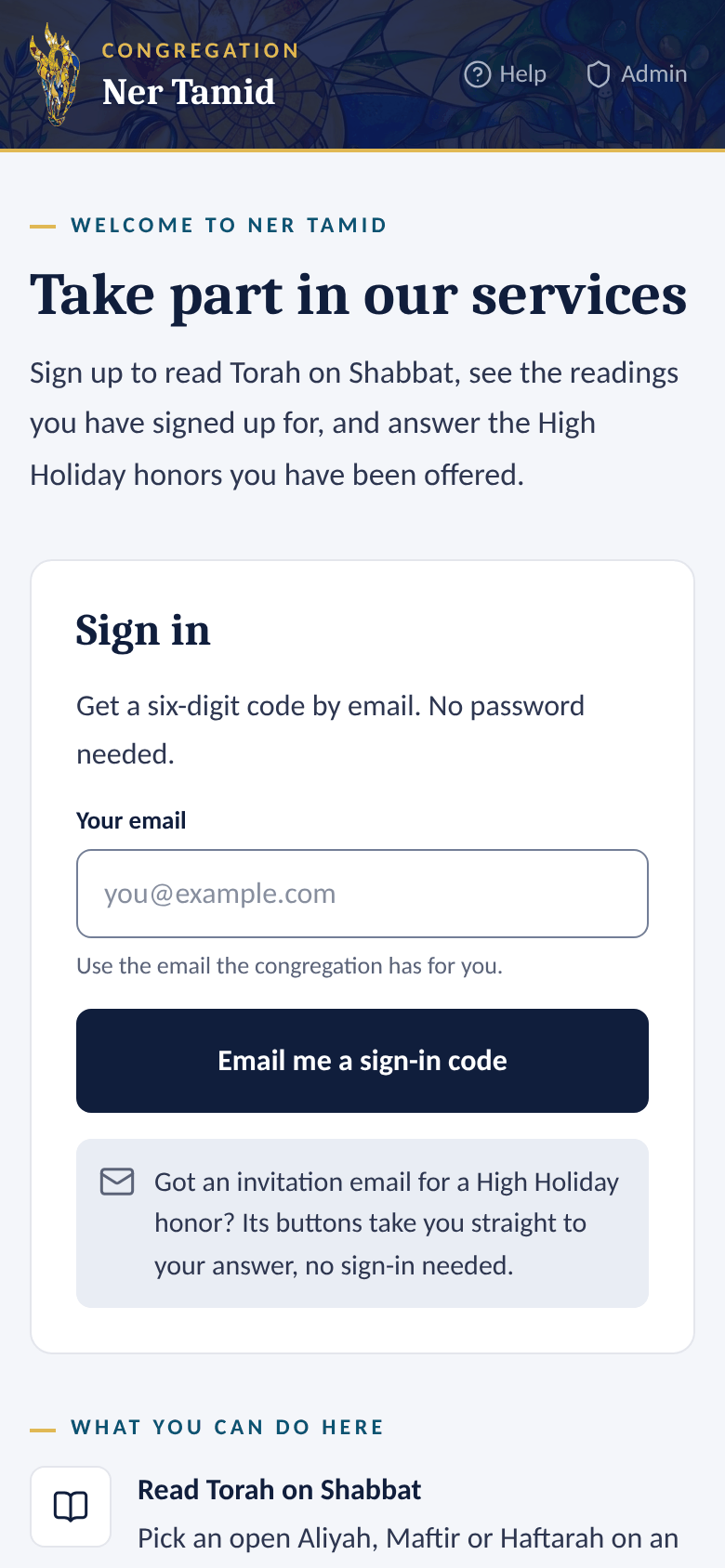
You can sign in two ways. Pick whichever is easier.
Option A — Continue with Google
Fastest if your congregation email is a Gmail or Google account.
- Go to ritual.nertamid.com.
- Tap Continue with Google.
- Choose your Google account. You land on your home page.
Option B — Email me a code
Works with any email address.
- Go to ritual.nertamid.com.
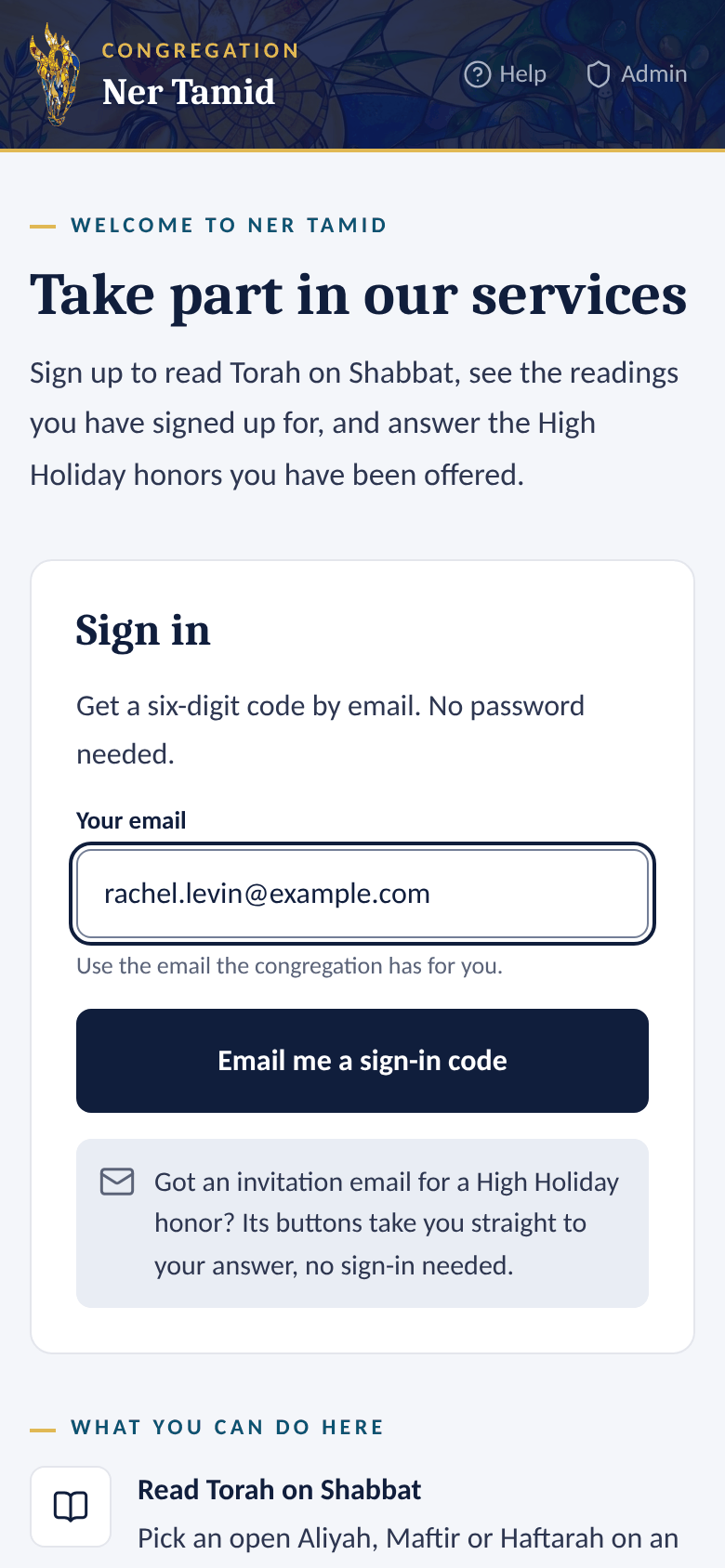
- Under Your email, type the email the congregation has for you.
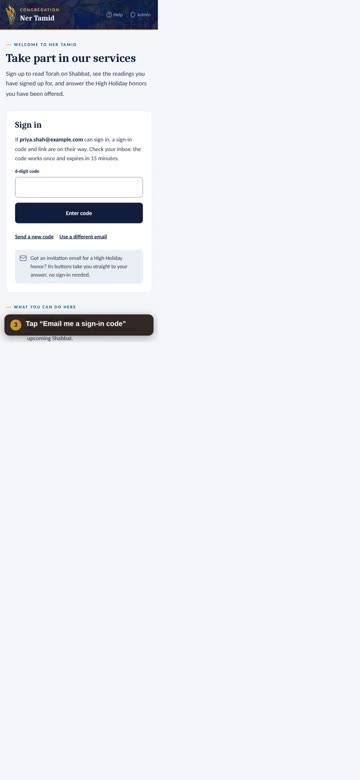
- Tap Email me a sign-in code.
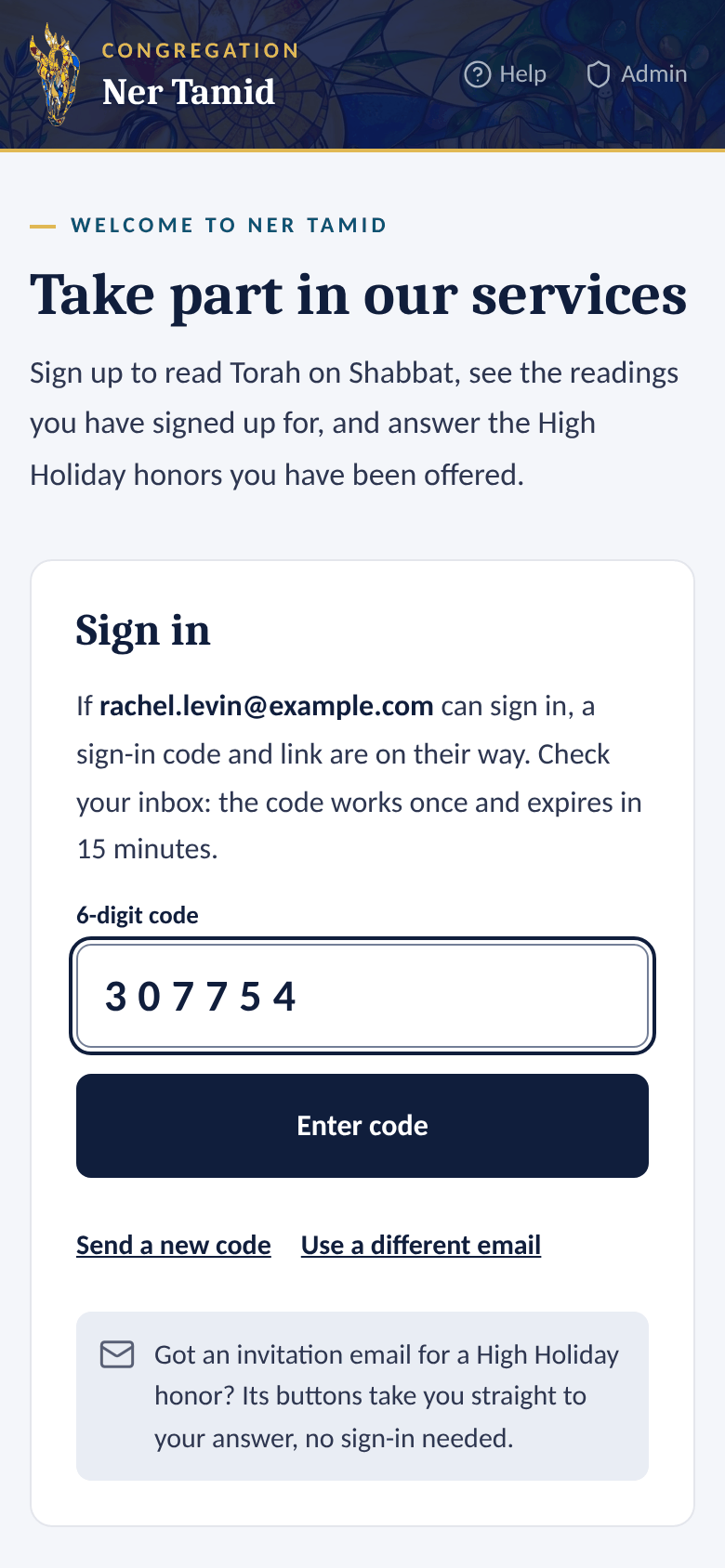
- Open the email from Ner Tamid. It has a 6-digit code and a sign-in link.
- Tap the link in the email, or type the code in the 6-digit code box and tap Enter code.
 1Type your email
 2Type the code
Good to know
- The code works once and expires after 15 minutes. Need another? Tap Send a new code.
- Wrong address? Tap Use a different email.
- Added the app to your phone's home screen? Type the code there. The link opens your browser instead of the app.
- You stay signed in on that device for up to 30 days. To leave, tap Sign out at the top.
Section 3Your home page
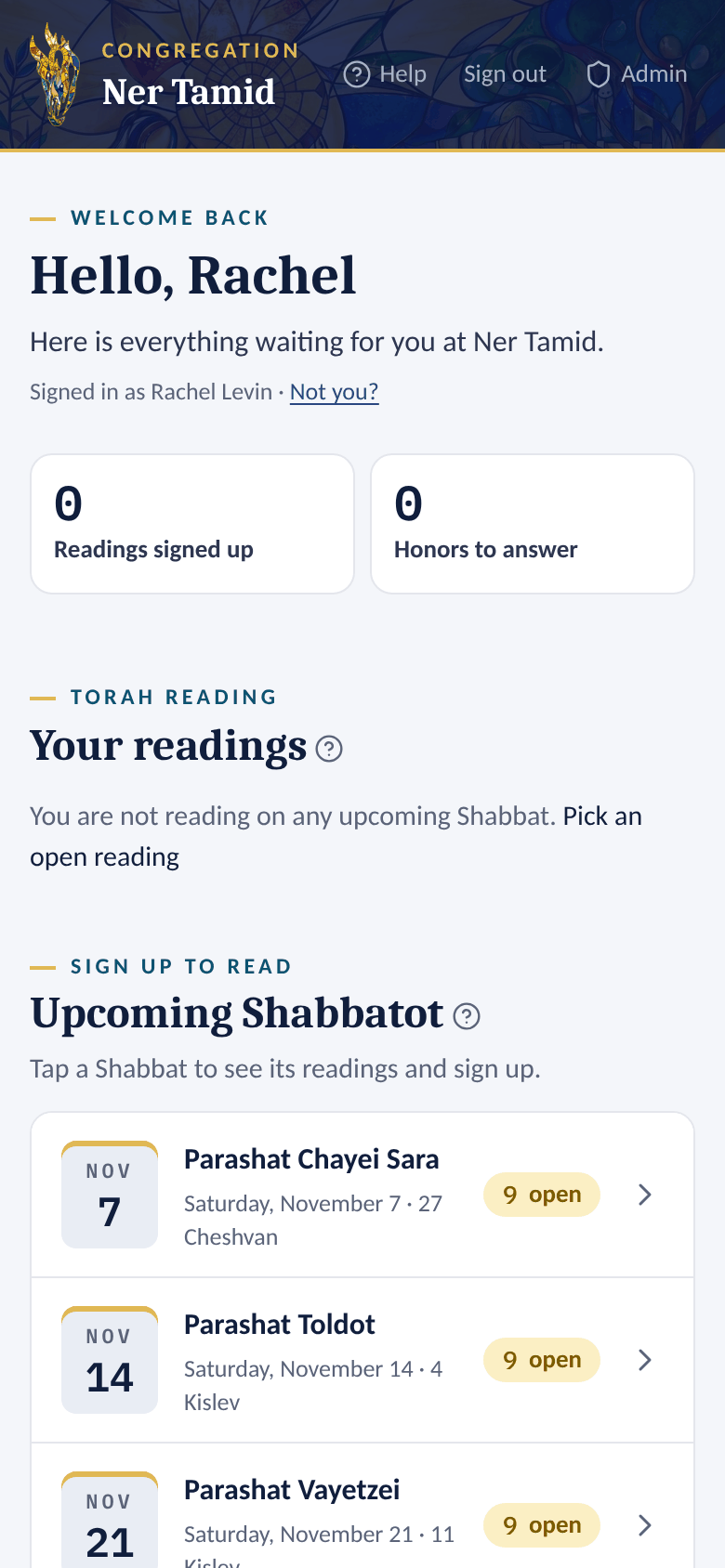
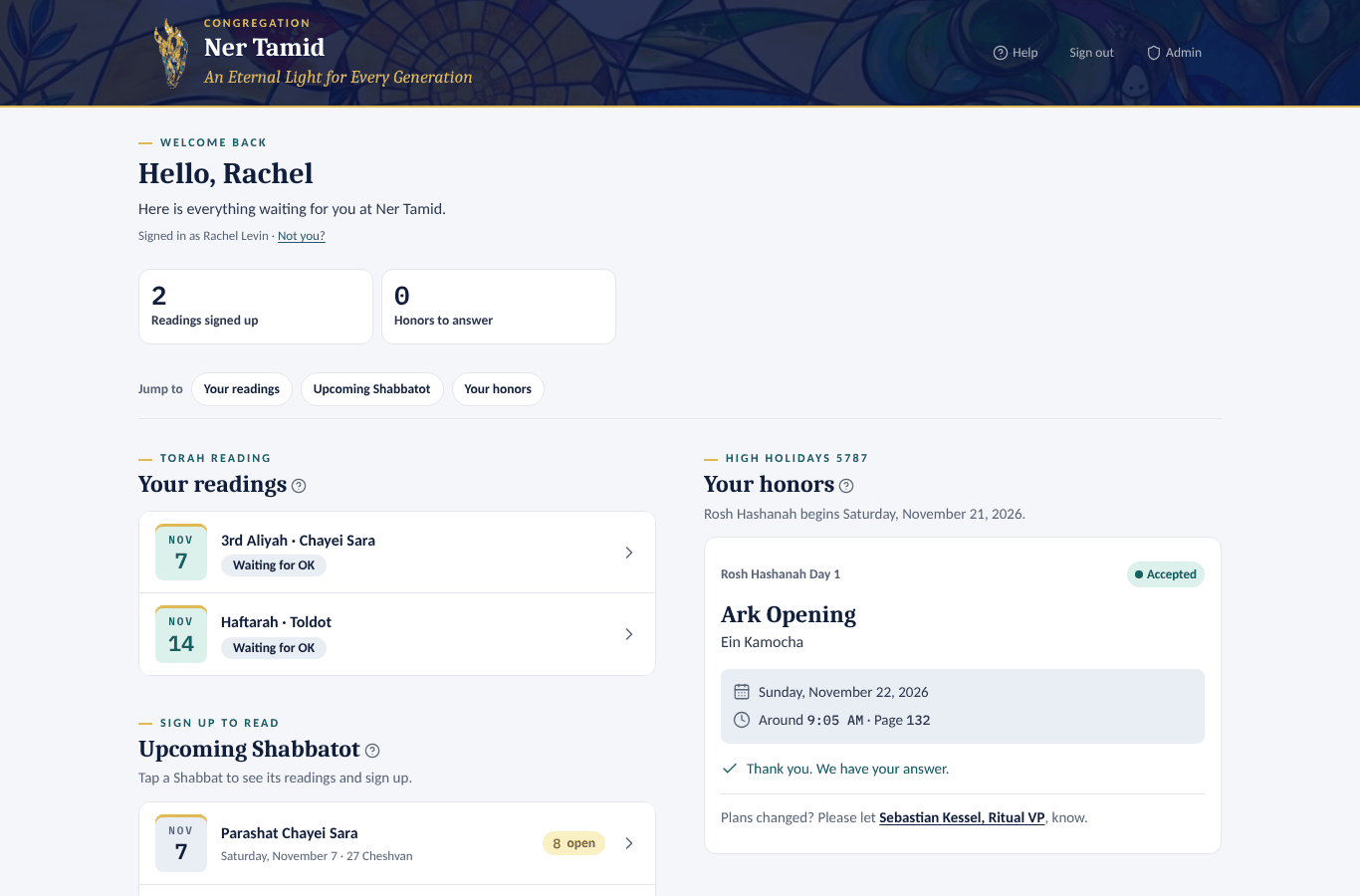
After you sign in, your home page shows everything waiting for you, top to bottom:
- Two counters — how many readings you signed up for, and how many honors still need your answer.
- Your readings — every upcoming reading you hold, with its verses and page (for example Gen 12:1–13 · page 45) and its status. Readings you reserved for now are here too, marked Reserved, not confirmed.
- Upcoming Shabbatot — each coming Shabbat with the number of open readings. Tap Load more to see further ahead.
- Your honors — your High Holiday honors for the coming year, if you have any.
- Your Gabbai Shabbatot — only if you are a Gabbai. The Gabbai Manual explains it.
On a computer, or a tablet turned sideways, the page uses two columns side by side, in the same order, so you scroll much less. A row of Jump to links under the counters — Your readings, Upcoming Shabbatot, Your honors — takes you straight to each part, and stays at the top of the window while you scroll.
Section 4Sign up to read Torah
Prefer to watch? Here is the whole thing in under a minute.
0:52 · phone view · captioned
Watch the whole sign-up, from opening the website to the thank-you page. Each step on screen matches the steps below.
A one-minute video of these steps is in the online version of this manual, and on the CNT Ritual help pages.
Step by step
- Sign in (see Sign in above).
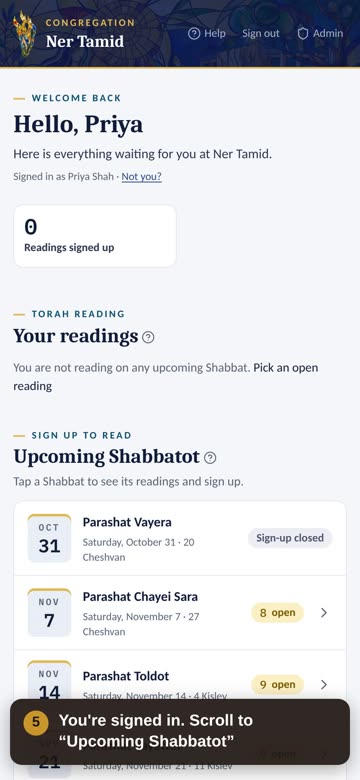
- On your home page, scroll to Upcoming Shabbatot.
- Tap the Shabbat you'd like. The gold pill shows how many readings are still open.
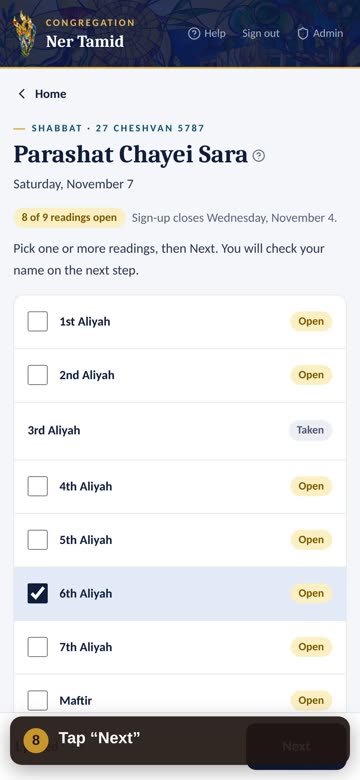
- Check the box next to one or more Open readings — an Aliyah, Maftir or Haftarah. Under each reading's verses you see its book and how many verses it is, for example Genesis · 13 verses.
- Tap Next at the bottom.
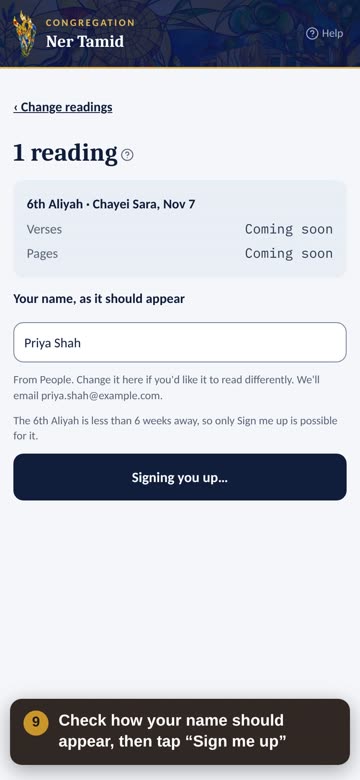
- Check Your name, as it should appear. Change it if you want it to read differently.
- Tap Sign me up.
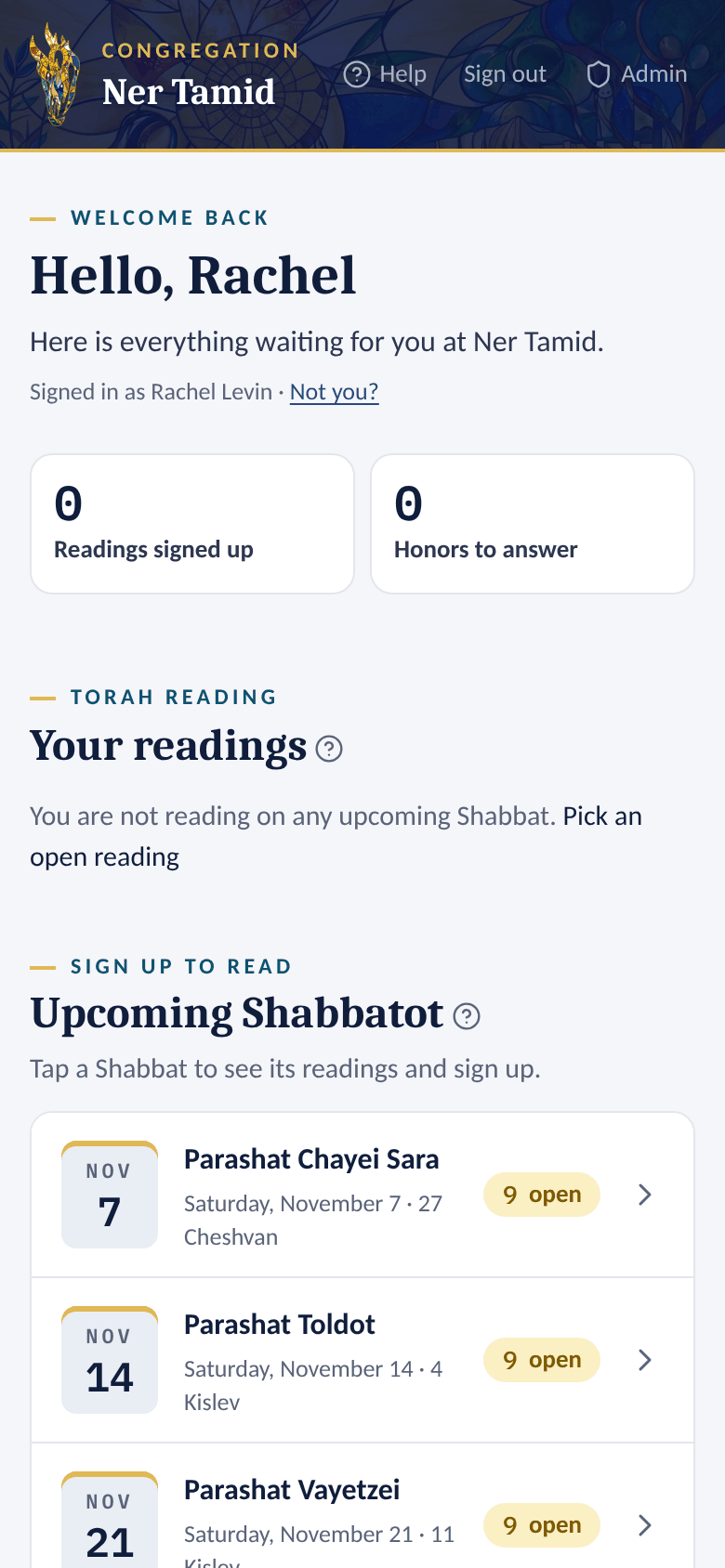 1Tap a Shabbat
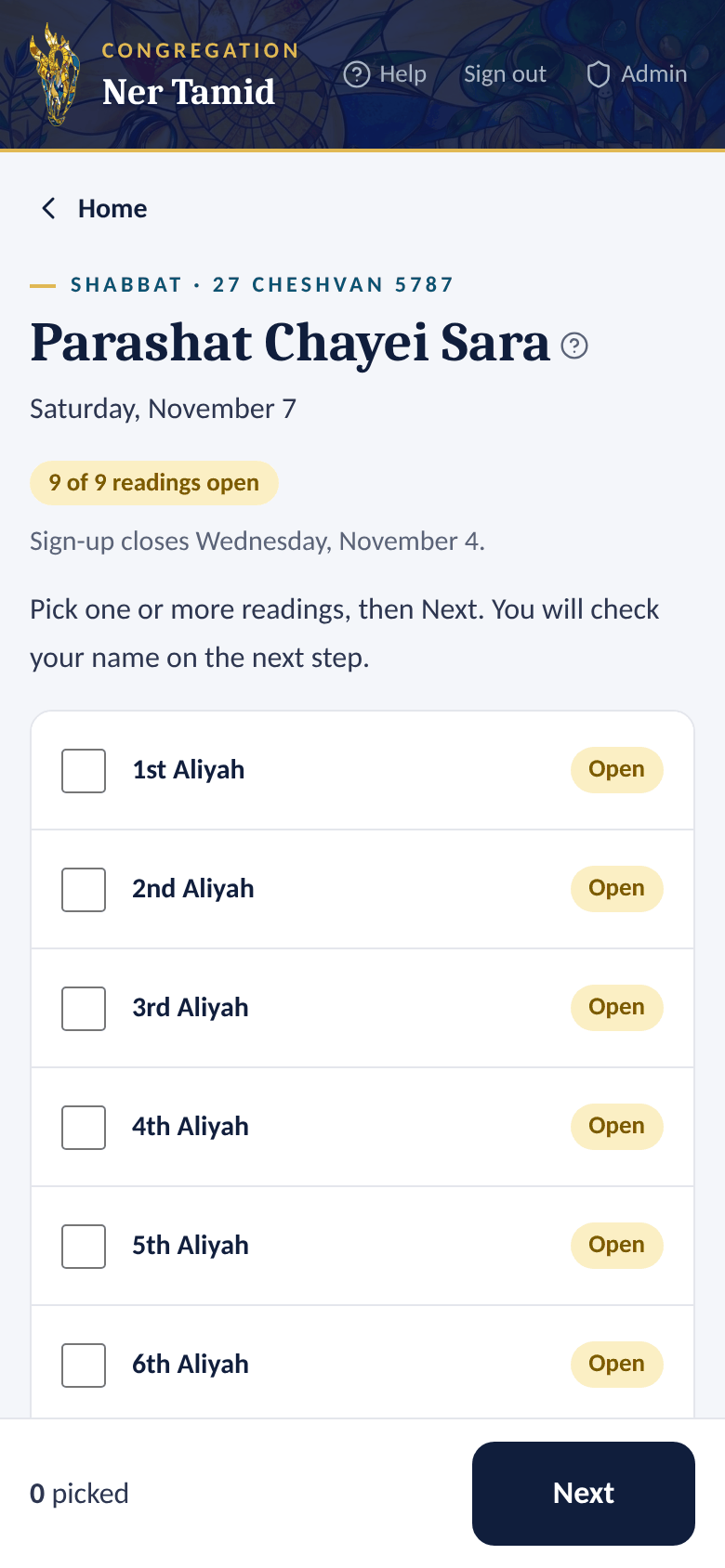 2See its readings
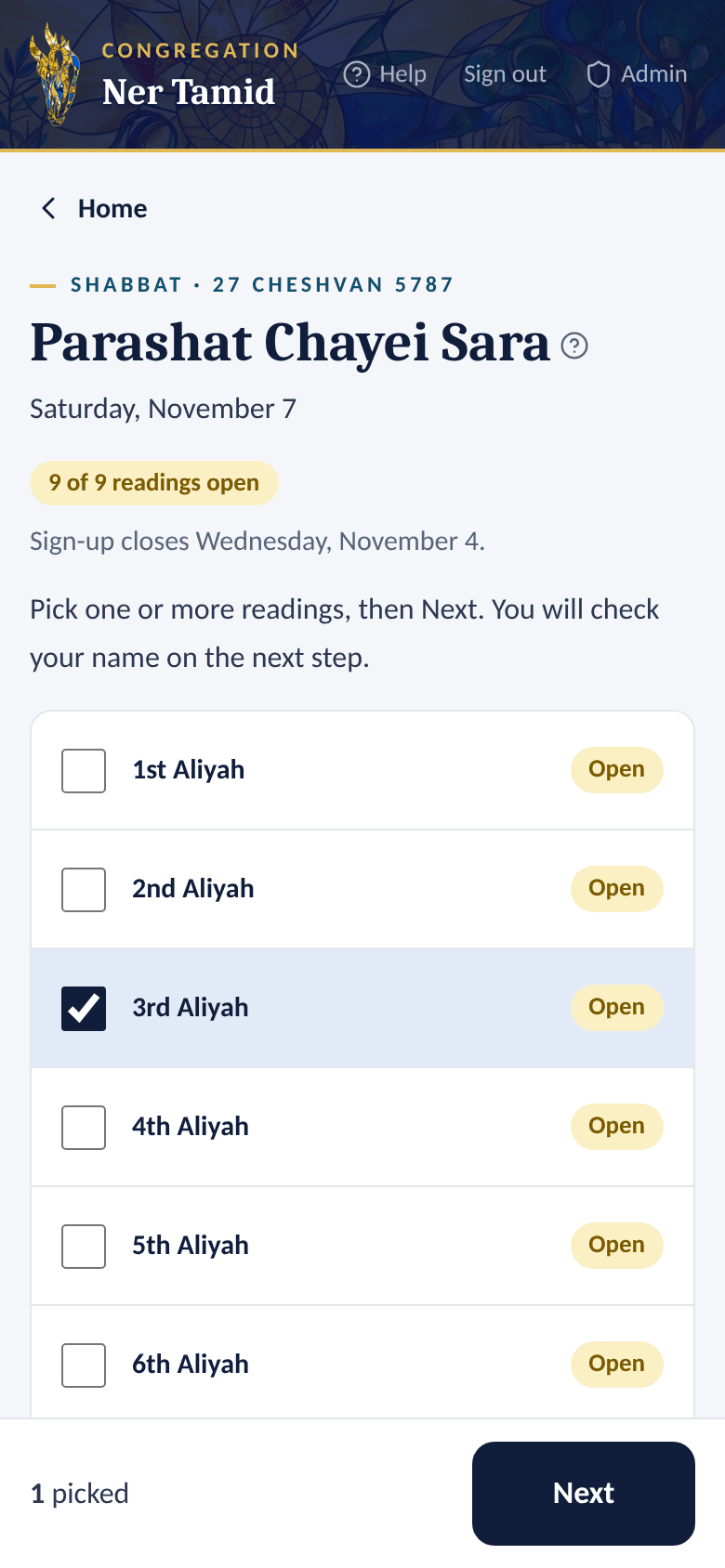 1Check a reading, tap Next
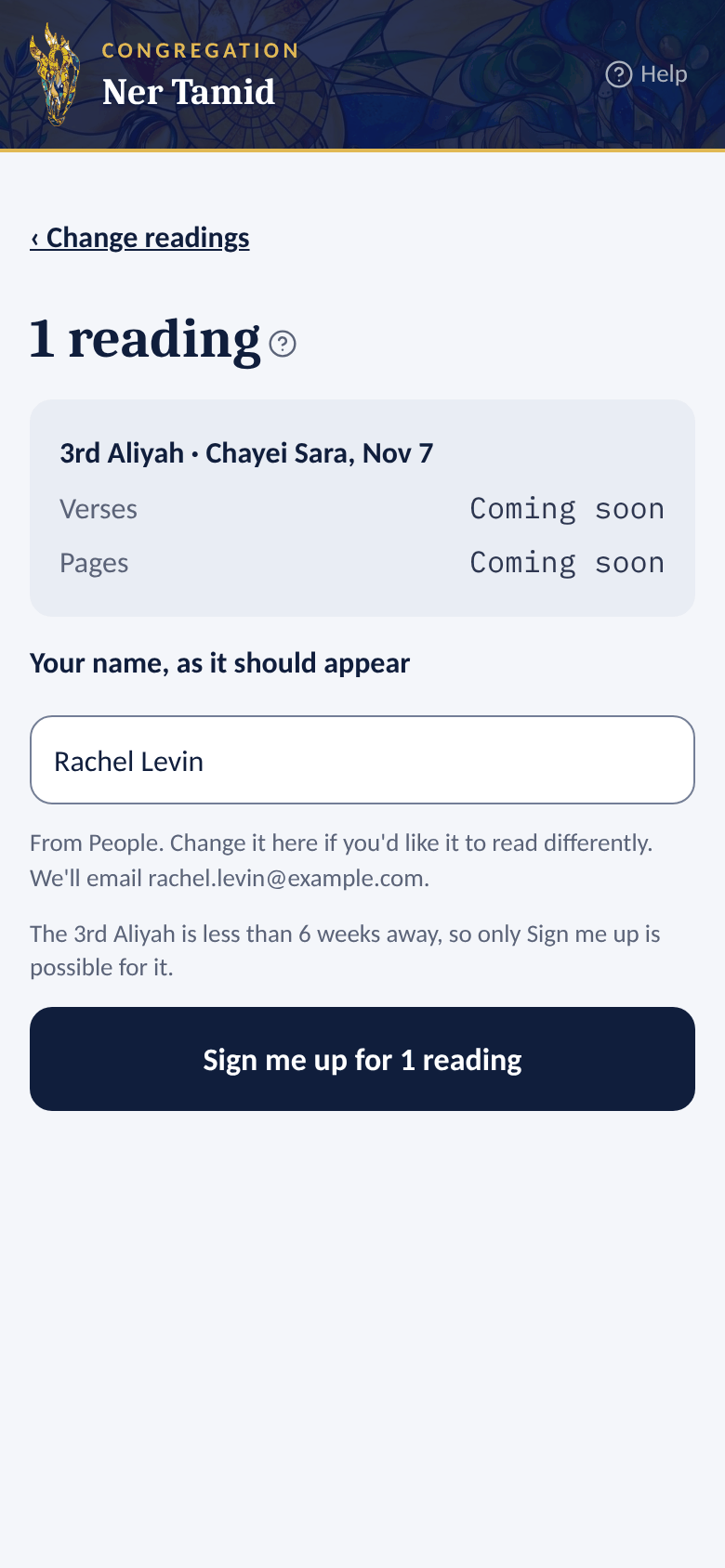 2Check your name, tap Sign me up
What happens next
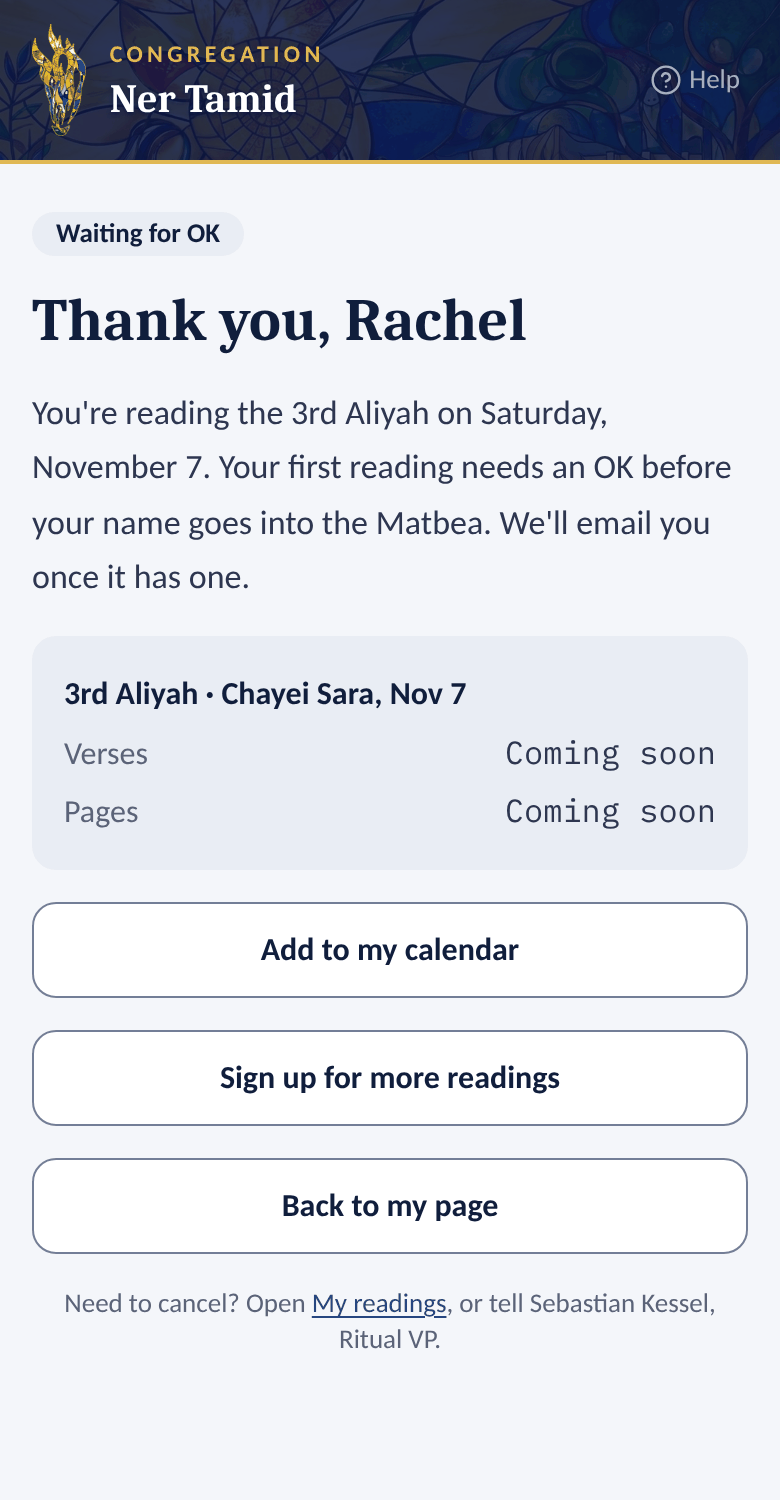
- You see a thank-you page with Add to my calendar, Sign up for more readings and Back to my page.
- Your first reading shows Waiting for OK. The office approves first-time readers once (the usual setting). You get an email when it is approved. After that, your sign-ups go straight in.
- Verses and Pages say Coming soon until the Shabbat editors fill them in.
- Everywhere else a reading is listed (your home page, a Shabbat's page and the sign-up list), it shows its verses and page together, like Gen 12:1–13 · page 45. When only one is known, you see just that one.
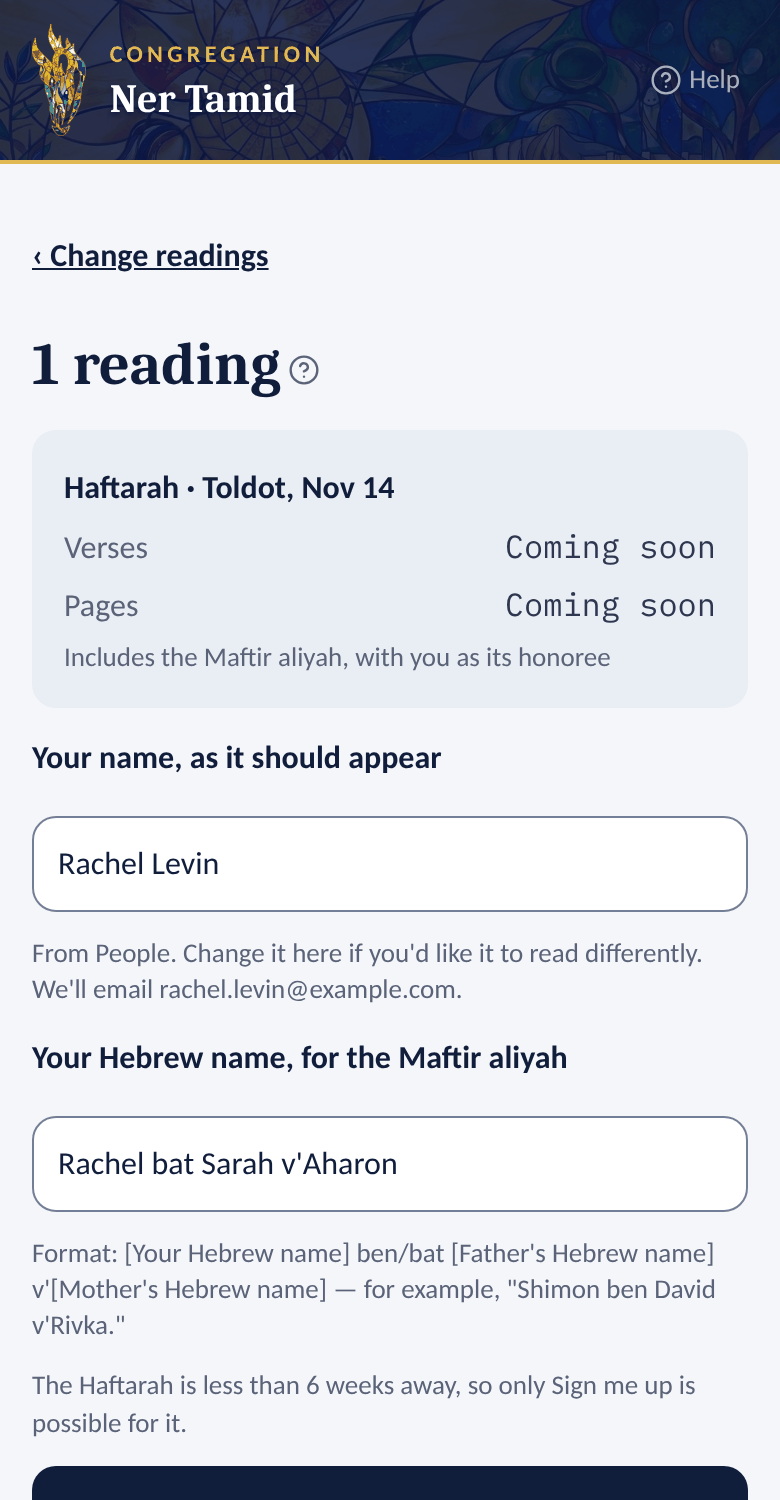
Reading the Haftarah?
The Haftarah includes the Maftir aliyah, with you as its honoree. So the app also asks for Your Hebrew name.
- Format: [Your Hebrew name] ben/bat [Father's Hebrew name] v'[Mother's Hebrew name]
- Example: Shimon ben David v'Rivka
- Not sure? Leave it empty. The office will follow up.
Good to know
- Each Shabbat shows its last day to sign up — for example, Sign-up closes Wednesday, October 21.
- A Shabbat that says All readings taken is full.
- A reading someone already has shows who is reading it, for example Sagit Piken, once you are signed in. A reading someone has only reserved shows Reserved, not confirmed yet, never a name.
Section 5Reserve a reading for now
Not sure yet you can make it? You can hold a reading a long way ahead and confirm it later.
- Pick one or more readings and tap Next, as in Sign up to read Torah.
- Check Your name, as it should appear.
- Tap Reserve for now (beside Sign me up). It says the last day to confirm, for example Confirm by Fri, Dec 4.
- The thank-you page says Reserved, not confirmed and the date to confirm by.
To confirm or let it go:
- On your home page, find the reading under Your readings. It shows Reserved, not confirmed and Confirm by ….
- Tap Confirm. You are signed up, just as with Sign me up: your first reading still waits for the office's OK, and you get the usual email.
- Or tap Let it go, then Yes, let it go. The reading is open again for someone else. Changed your mind? Tap Keep it.
On a Shabbat's page, Confirm and Let it go on your reserved reading each open a short card first; tap Yes, confirm it or Yes, let it go there.
Good to know
- You can reserve up to 3 readings at a time (the office sets the number; the page says it). To reserve another, confirm one or let one go first.
- A reservation lasts until 6 weeks before its Shabbat (the office can change this; the page always shows the day to confirm by). Confirm by then, or it ends and the reading opens for everyone again. Closer than that, only Sign me up is offered.
- We email you 2 weeks, 1 week and 1 day before your reservation ends (the office can change these). Nothing is sent when it ends.
- Others see your reading as Reserved, not confirmed yet, with the day it opens again. They never see your name.
Section 6See, add to calendar, or cancel a reading
See your readings
- Your home page lists them under Your readings.
- Tap one to open that Shabbat. Your reading is marked with its status.
Add a reading to your calendar
- Tap the reading under Your readings.
- Tap Add to calendar. Your phone or computer opens it in your calendar app.
Cancel a reading
- Tap the reading under Your readings.
- Tap Can't make it….
- Tap Yes, cancel this reading. Changed your mind? Tap Keep it.
- You see Cancelled. The reading is open again.
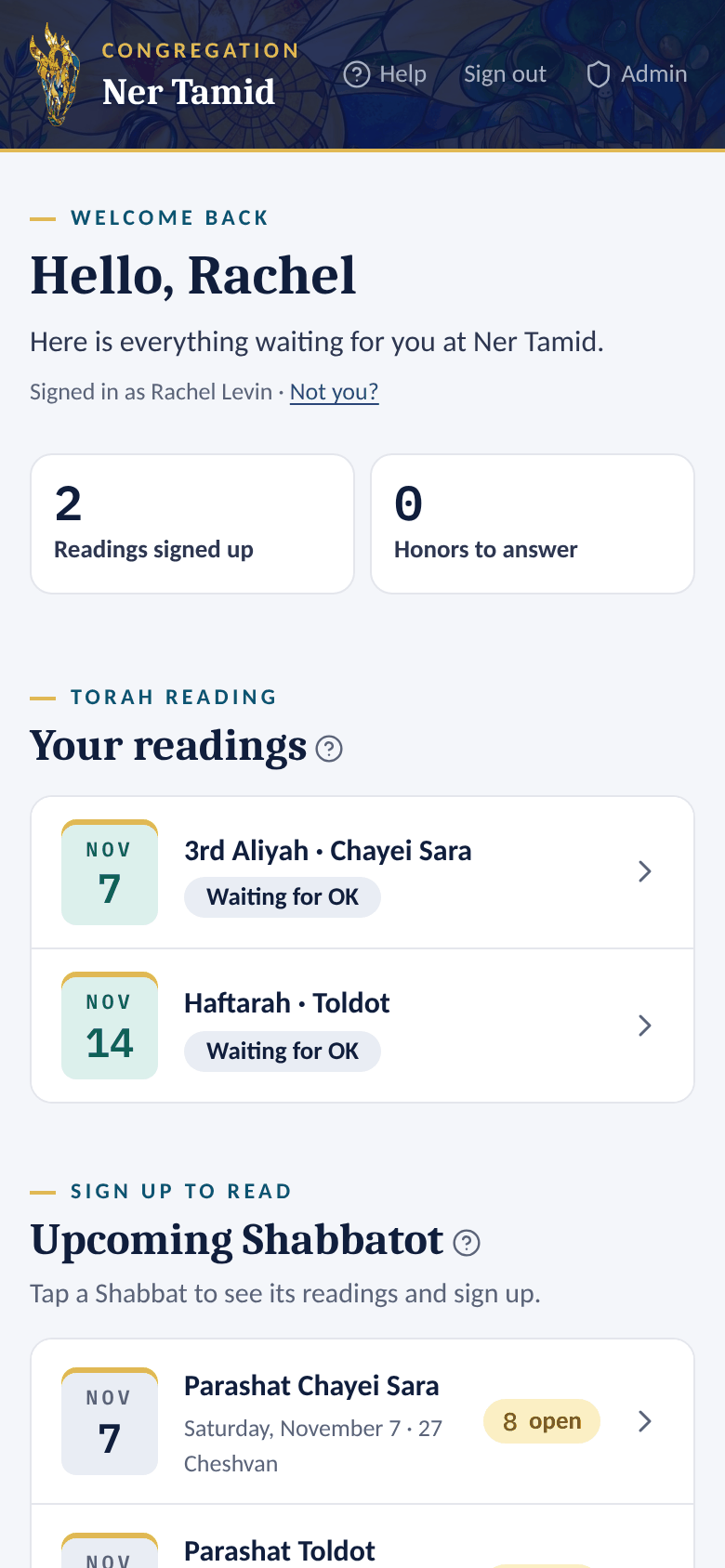 1Your readings
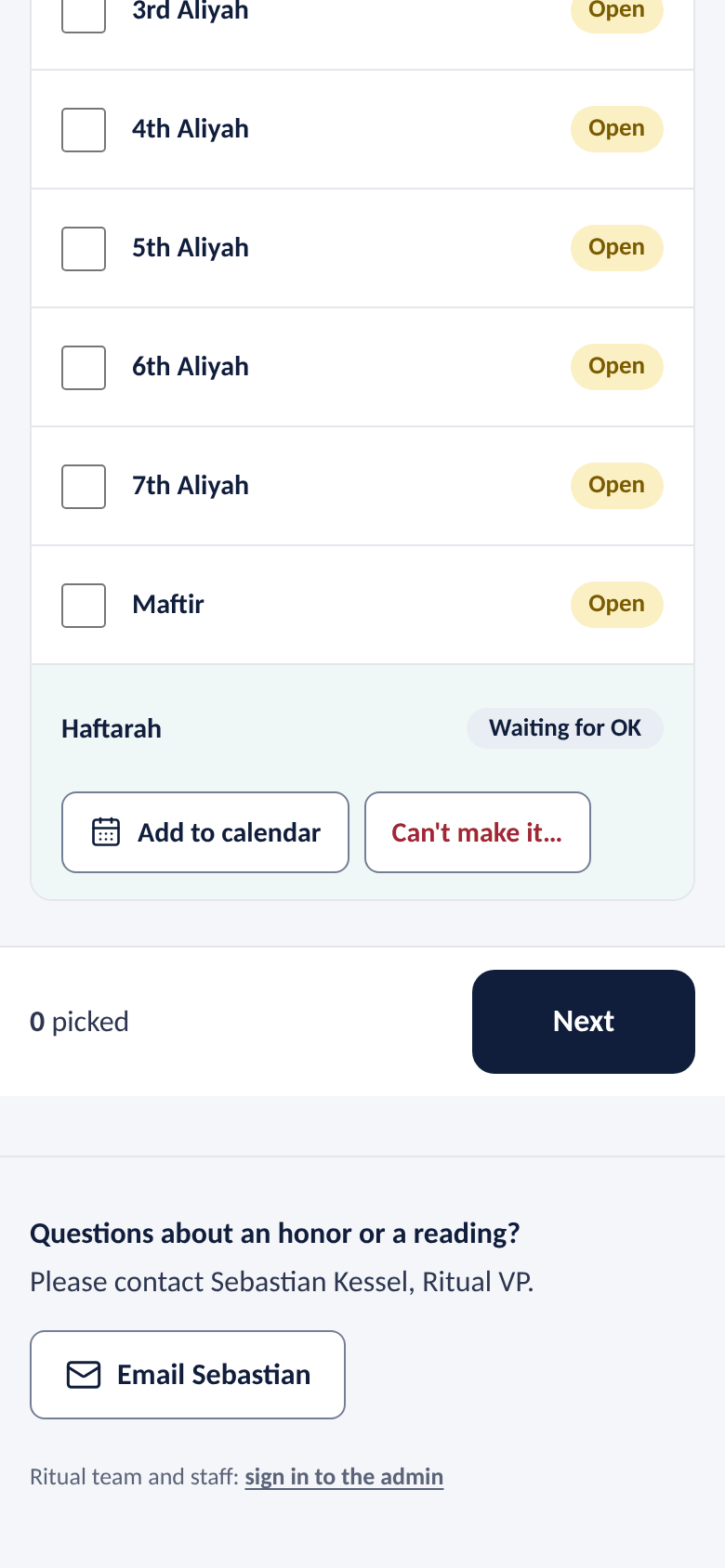 2Add to calendar or Can't make it…
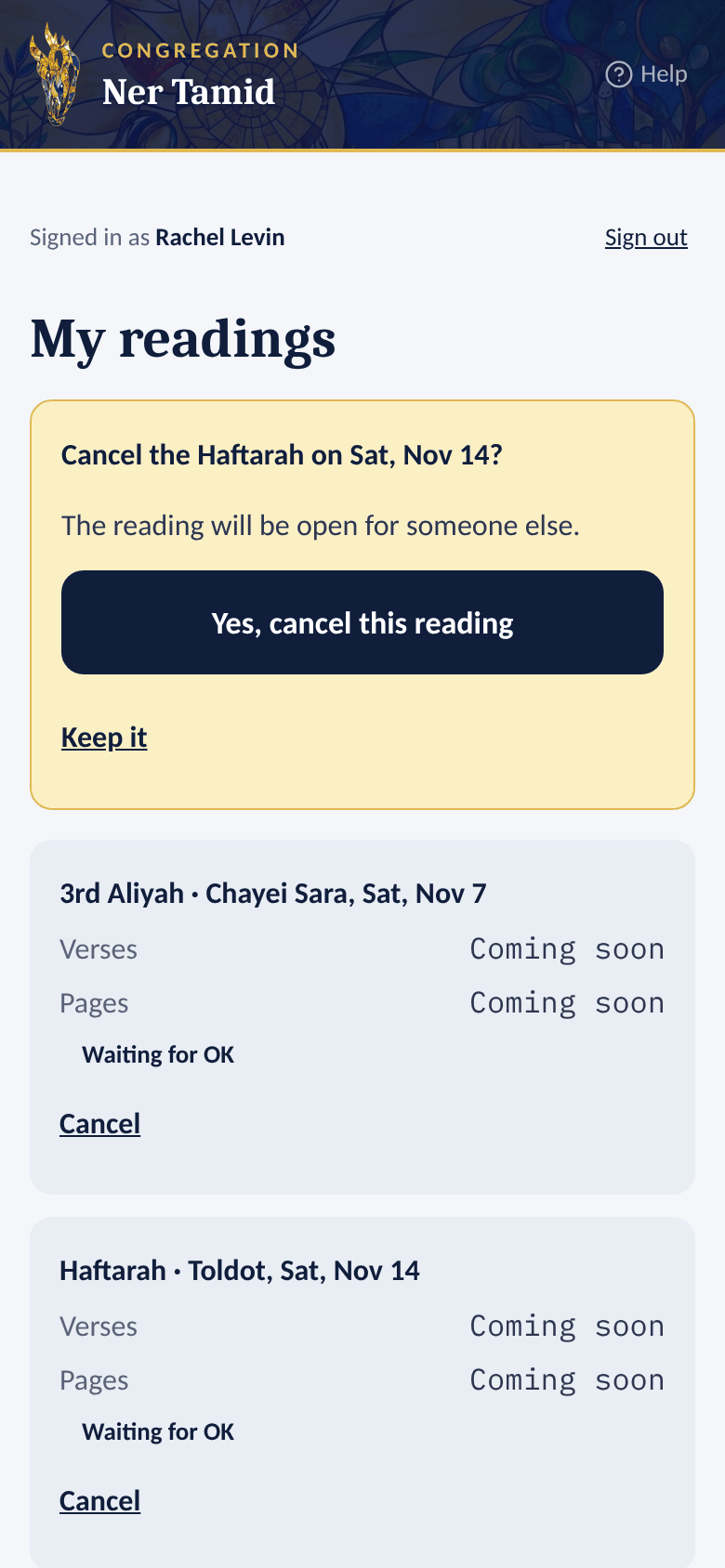 1Confirm
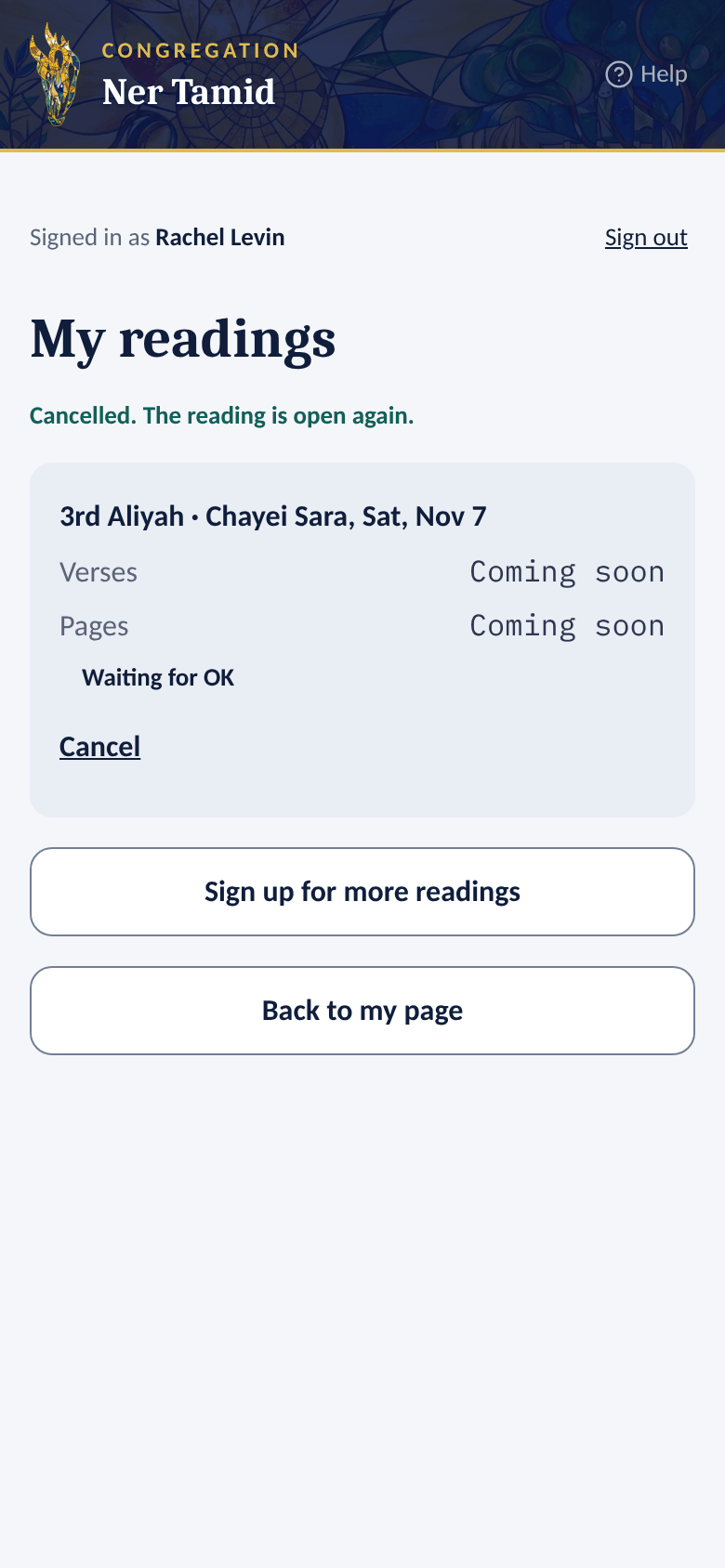 2Cancelled
Good to know
- Opening a link never cancels anything. Only the Yes, cancel this reading button does.
- You can't cancel after that Shabbat has passed. Please tell Sebastian Kessel, Ritual VP, instead.
Section 7Answer a High Holiday honor
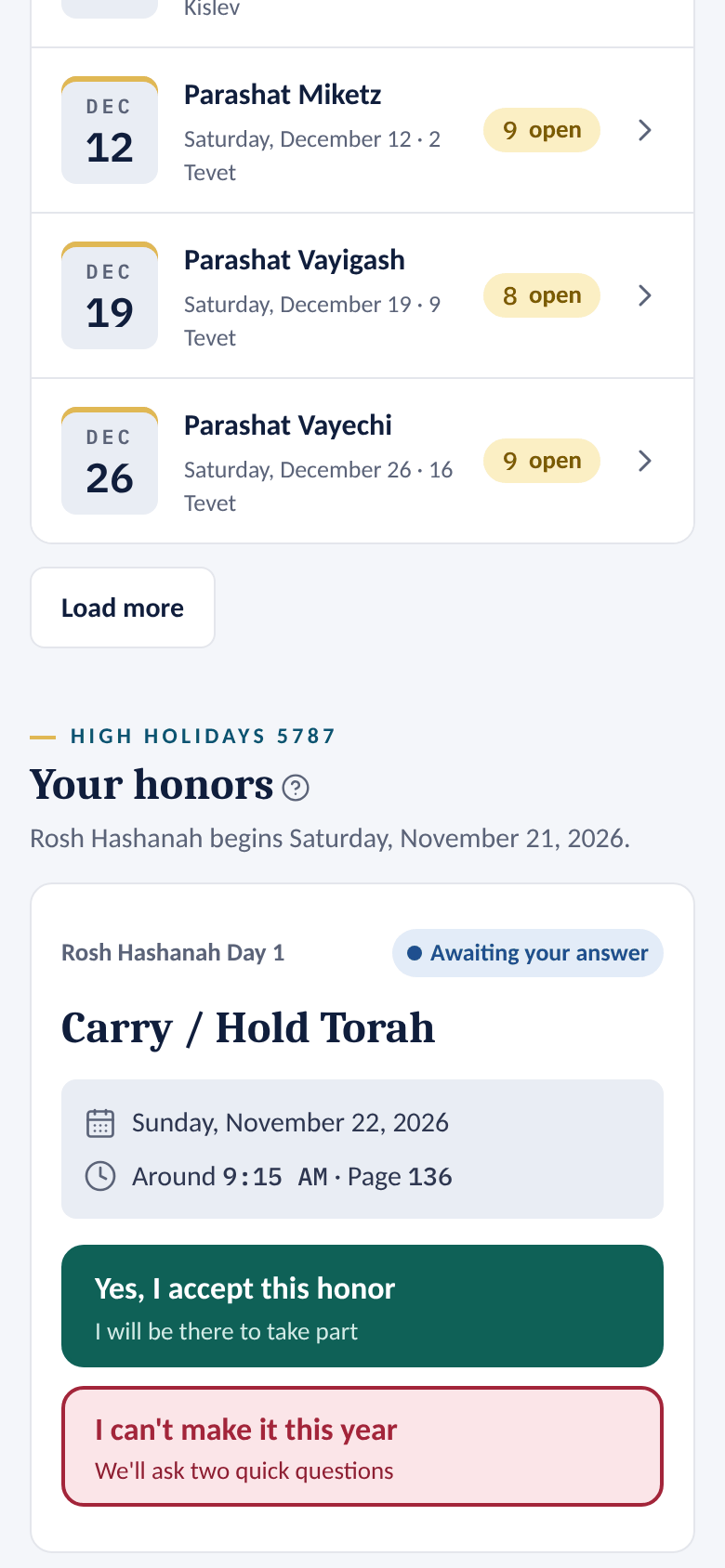
Each honor comes in its own email. Its buttons take you straight to your answer — no sign-in needed. You can also answer from your home page.
Accept
- Open the invitation email and tap the button (or the link) to answer.
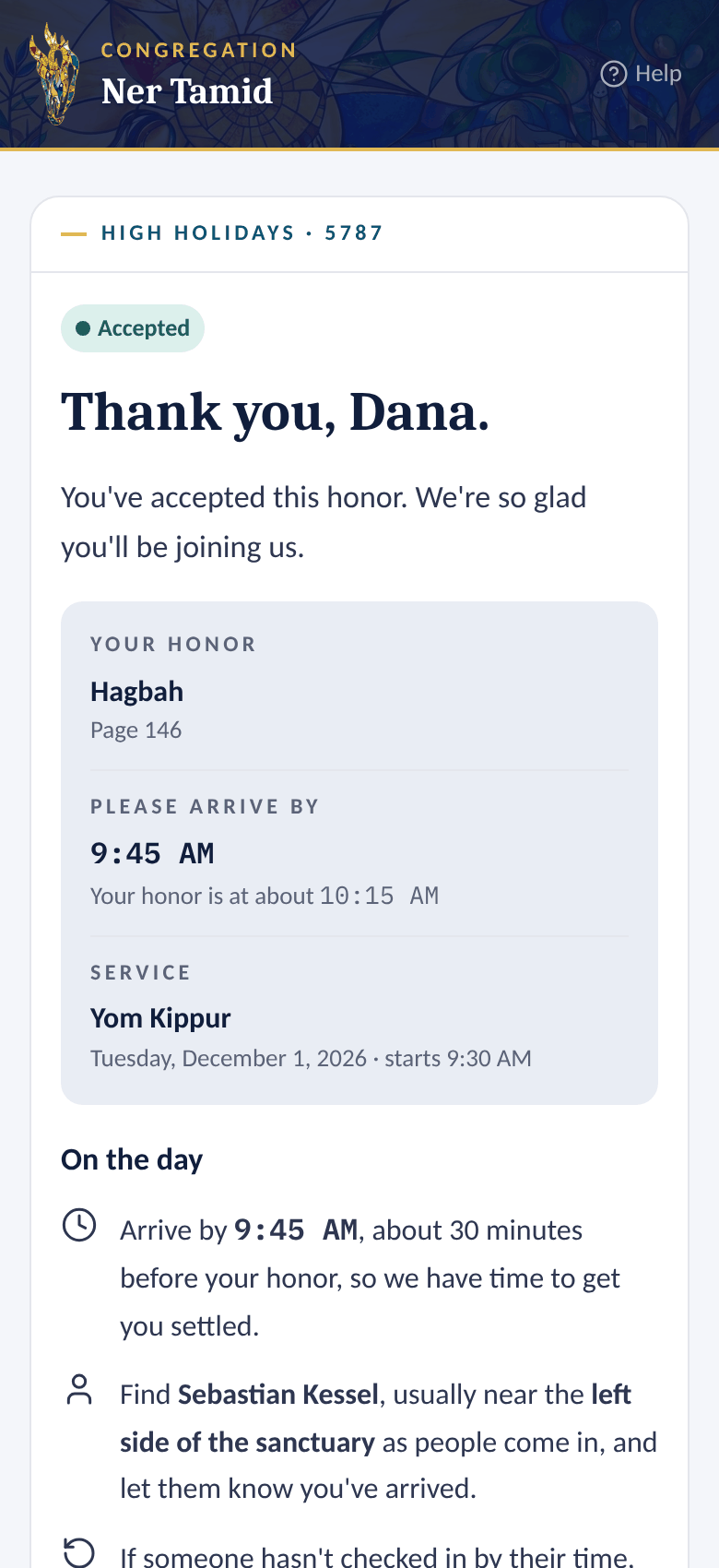
- Check the honor, the page number and the approximate time.
- Tap Yes, I accept this honor.
- The thank-you page shows when to arrive — about 30 minutes before your honor — and who to find when you get there.
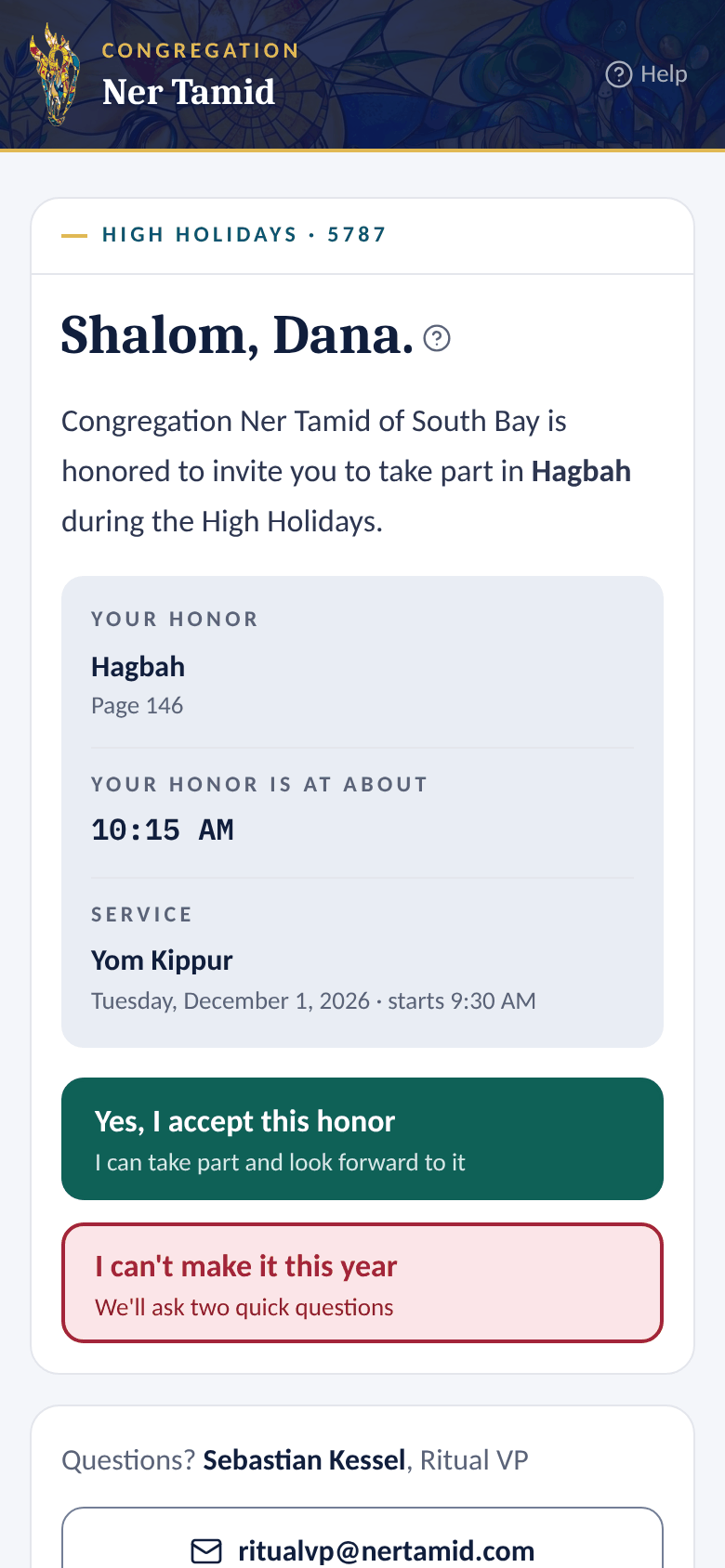 1Your invitation
 2Accepted
Decline
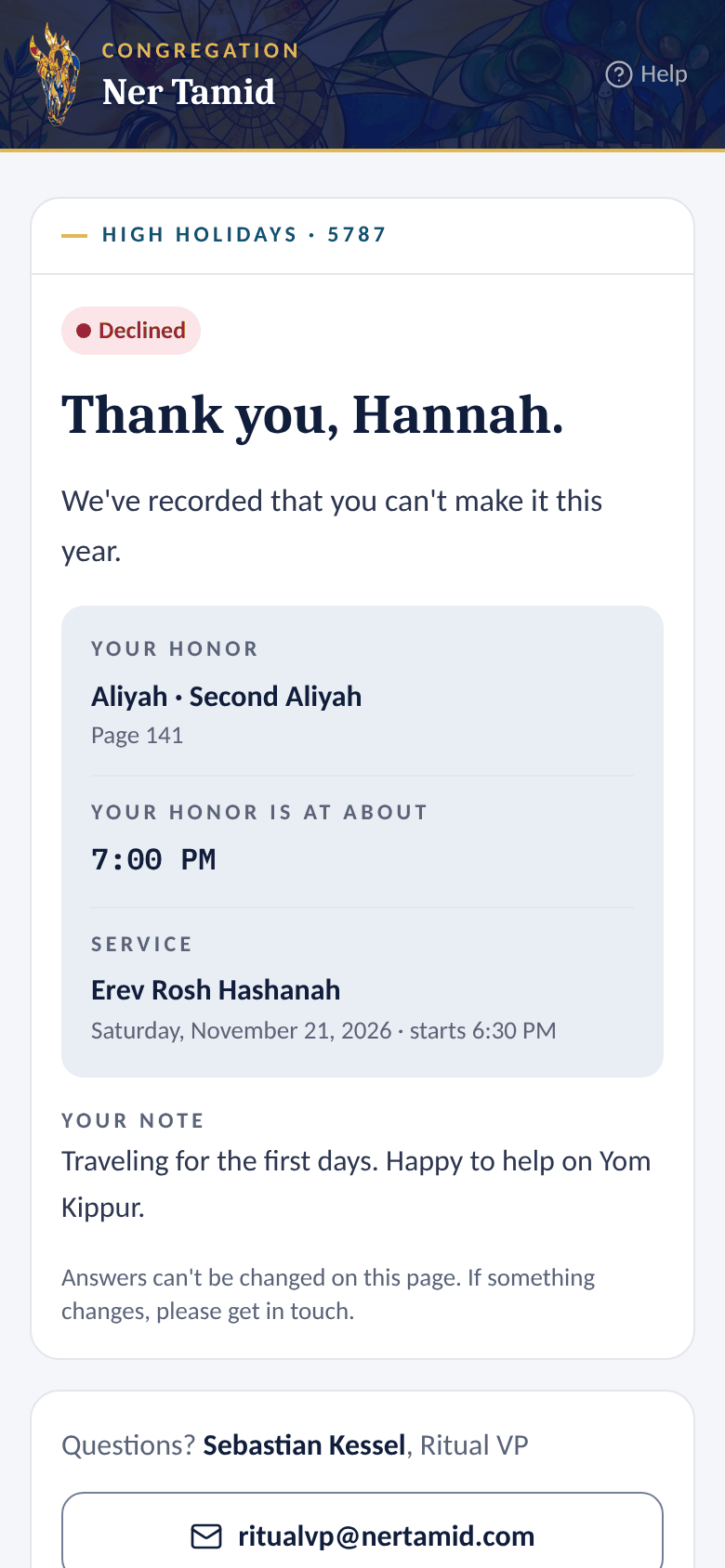
- Tap I can't make it this year.
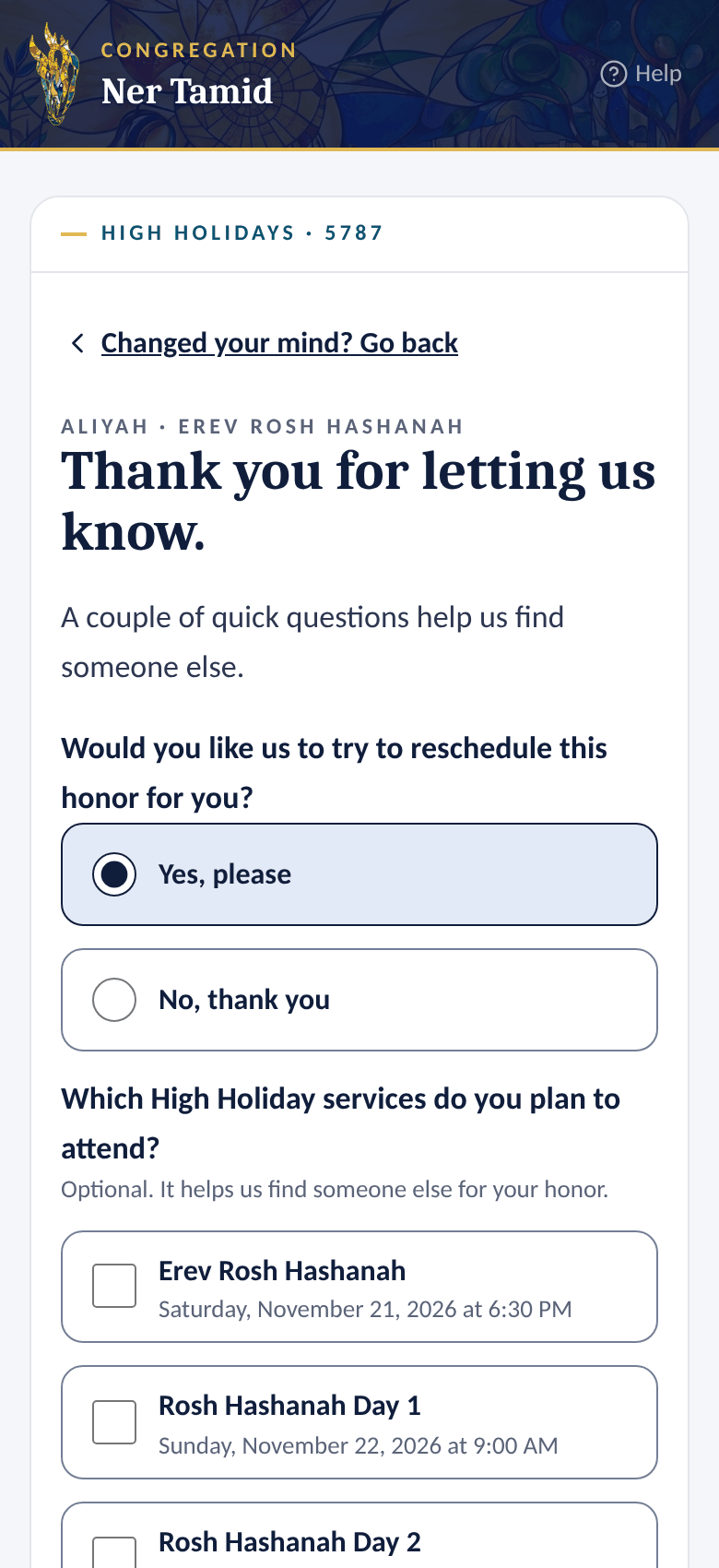
- Answer two quick questions:
- Would you like us to try to reschedule this honor for you? — Yes, please or No, thank you.
- Which High Holiday services do you plan to attend? — optional.
- Add a note if you like.
- Tap Send my answer.
 1Two quick questions
 2Declined
An honor shared with family
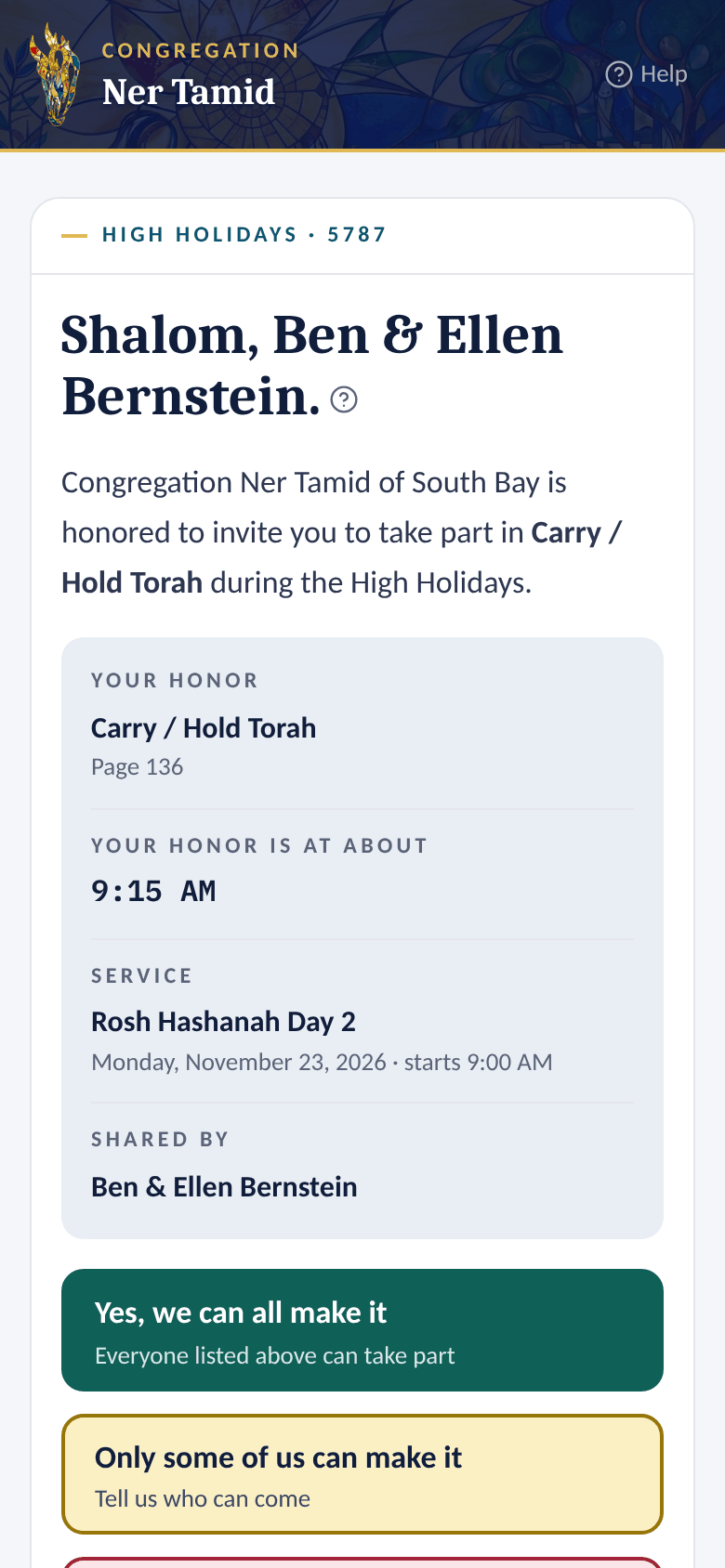
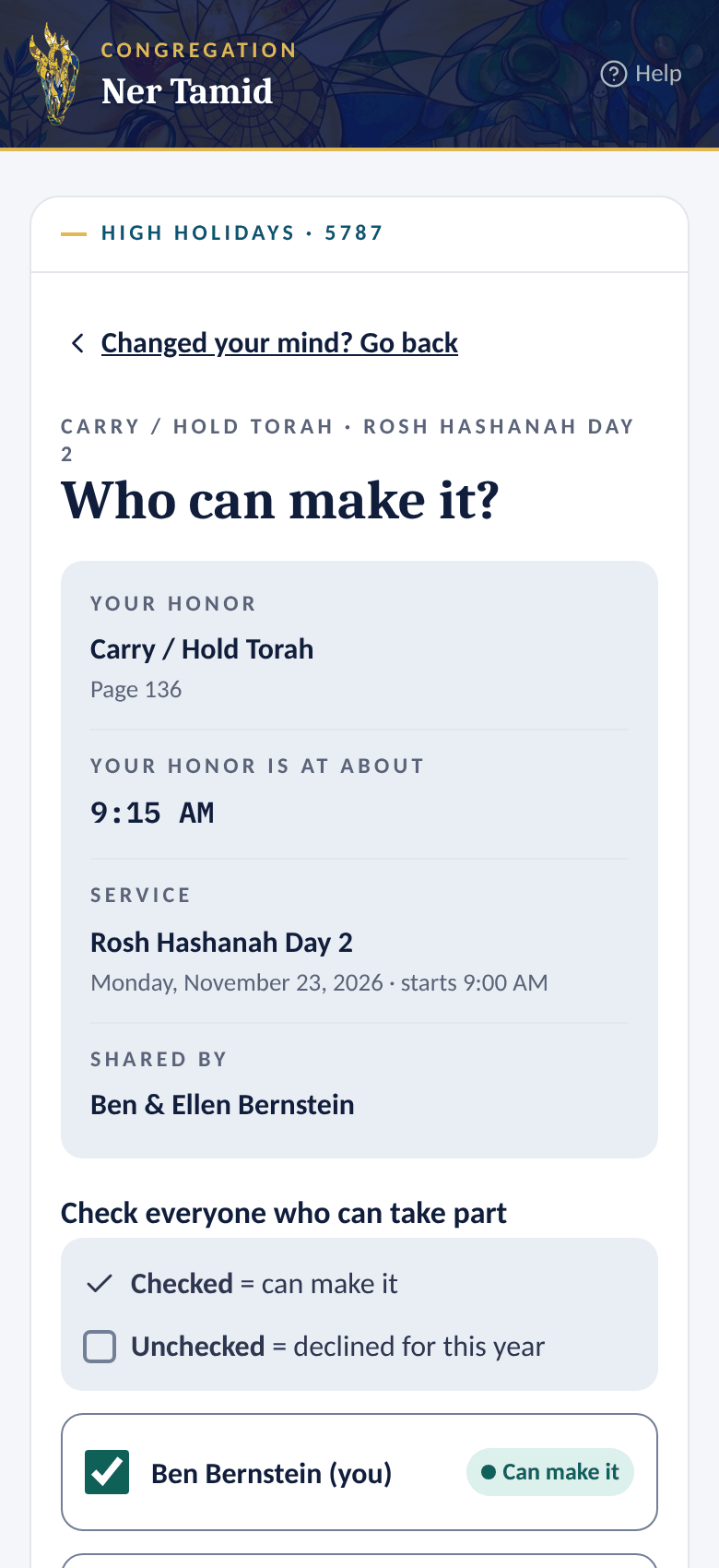
A couple or family may share one honor. One answer covers everyone.
- Yes, we can all make it — everyone accepts.
- We can't make it this year — everyone declines.
- Only some of us can make it — check who is coming, then tap Send our answer. Anyone left unchecked is marked as declined.
 1A shared honor
 2Only some of us
From your home page
Signed in? Your honors appear under Your honors, with the same Yes, I accept this honor and I can't make it this year buttons.
Good to know
- Once sent, an answer can't be changed on the page. Plans changed? Email Sebastian Kessel, Ritual VP, at ritualvp@nertamid.com.
- Accepted an Aliyah and the office has no Hebrew name for you? The thank-you page asks for it.
Section 8No account yet? Ask for access
The app knows you by the email in the congregation's records. If you use a different email, or you're new, ask to be added.
- Go to ritual.nertamid.com.
- Type your email and tap Email me a sign-in code.
- If that email isn't in our records yet, you get an email with an Ask for access link instead of a code. Tap it.
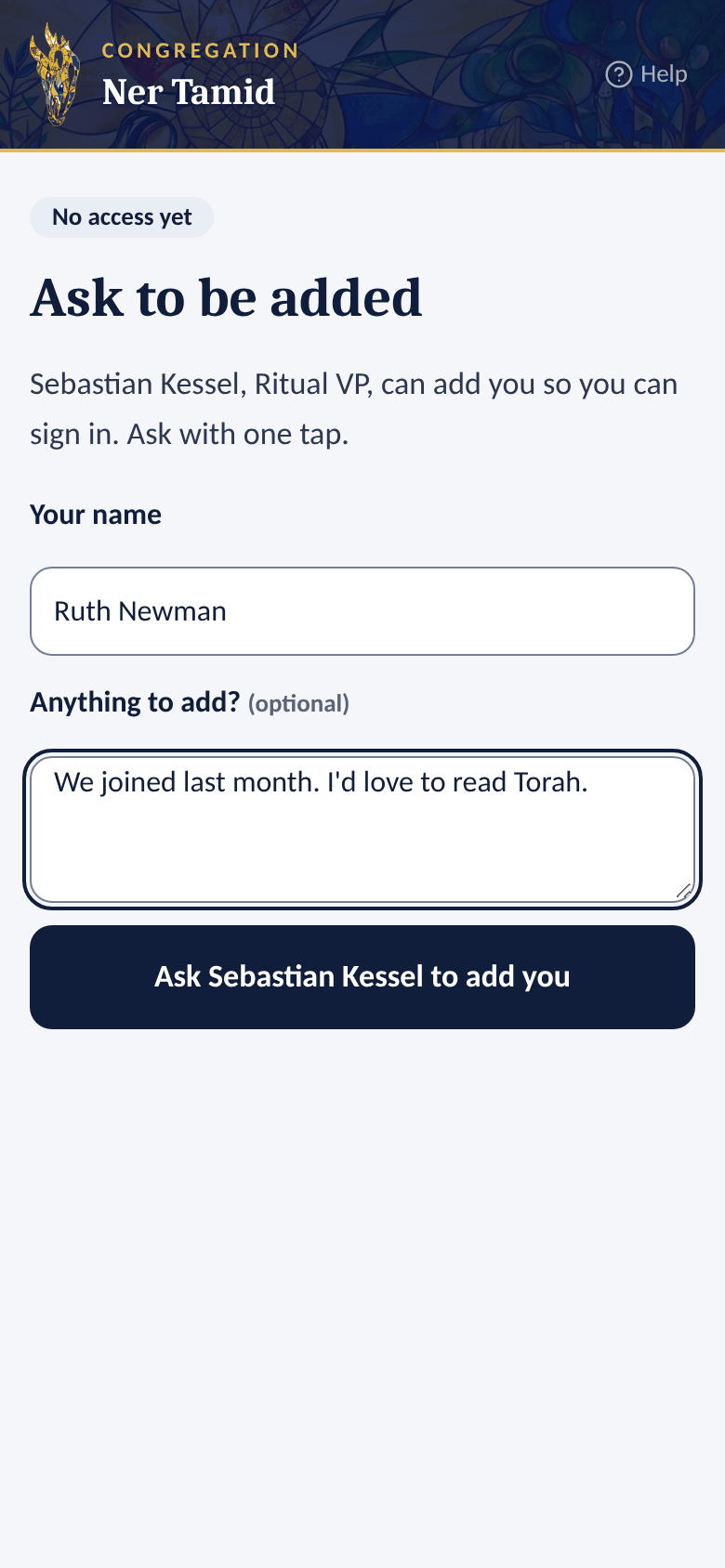
- Type Your name, and anything you'd like to add.
- Tap Ask Sebastian Kessel to add you.
 1Ask to be added
 2Request sent
Good to know
- For your privacy, the sign-in page always says the same thing, whether or not your email is in our records. Check your inbox to see which email you got.
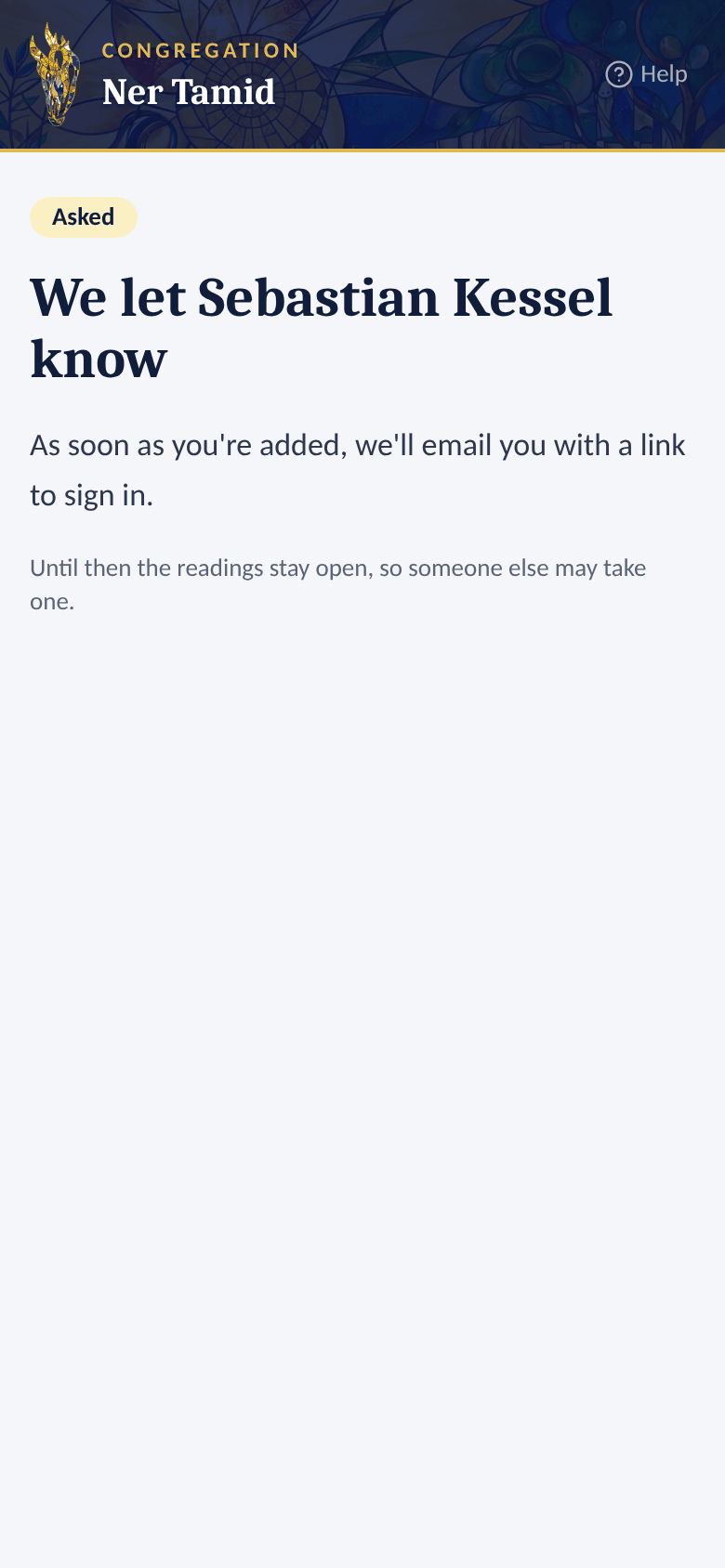
- Until you are added, readings stay open, so someone else may take one.
Section 9Emails you may get, and help
| When it comes | |
|---|---|
| Sign-in code and link (Your CNT Ritual sign-in link) | Each time you ask to sign in by email |
| High Holiday invitation | One per honor you are offered |
| Thank-you for your answer | After you accept or decline an honor |
| High Holiday reminder | Before the service, if you accepted an honor and the office sends reminders |
| Your Torah reading is approved | When the office approves your first reading |
| Your reading, with verses and pages | After you sign up, when the office has this turned on |
| Reading reminder | 3 days before your Shabbat, at 9:00 am |
| Please confirm your Torah reading | If you reserved a reading for now: before the reservation ends (usually 2 weeks, 1 week and 1 day before). Confirm on your home page |
| Your sign-up changed | If the office approves, declines, changes or removes your sign-up. It shows the Shabbat, the date, and the reading with its verses and page |
| Open readings this month | On the 1st, if the office sends it. It lists each open reading with its verses and page, like 3rd Aliyah: Gen 12:1–13 · page 45. Each one has a link to stop getting it |
Help on every page
- Tap Help at the top of any page. This manual opens in a new tab, at the part about that page.
- A small ? beside a title opens the part about that section, for example Your readings.
- On a computer with a wide window, the manual opens in a Help panel on the right instead, and the page moves over so you can follow the steps while you click. Type in Search the manual to find anything else. Open in full manual opens the whole manual in a new tab; ✕ or the Esc key closes the panel.
Light or dark pages
These pages follow your phone or computer: light when it is set to light, navy when it is set to dark mode. There is nothing to set here. (Someone who also uses the admin can pick Light or Dark there, and these pages then follow that choice on the same device.)
Troubleshooting
| Problem | What to do |
|---|---|
| No code arrived | Check spam. Wait a minute, then tap Send a new code. |
| The code doesn't work | It works once and expires in 15 minutes. Ask for a new one. |
| An "Ask for access" email came instead of a code | Your email isn't in our records yet. See No account yet? Ask for access. |
| A reading I want shows a name or Taken | Someone already has it. Pick another, or another Shabbat. |
| A reading I want shows Reserved, not confirmed yet | Someone is holding it. If they don't confirm, it opens again on the day shown. |
| Reserve for now isn't there | That Shabbat is too close (usually less than 6 weeks away; only Sign me up then), you already have as many reserved readings as allowed (usually 3), or the office hasn't switched reserving on. |
| I need to change an honor answer | Email ritualvp@nertamid.com. |